
Web application review
List the public applications, their owners, authentication boundaries and approved review scope. Agree how findings will be prioritized and retested.

Interactive workplace
Give the application owner a review they can act on
Commercial businesses
Web application review
Identify the public application and its third-party dependencies. Agree who can authorize a review, where findings may be stored and who can approve remediation. Keep payment and identity services separate when their owners or contractual permissions differ.
Related services and reading
A typical project decision

One business application can span several domains. Identify which environments the organization owns and which require a third party’s authorization.
What to bring
Bring the application list and change-approval contacts.
How to check the result

The scope, review window, contacts, findings format and remediation follow-up are agreed before work begins.
Give the application owner a review they can act on
Identify the public application and its third-party dependencies. Agree who can authorize a review, where findings may be stored and who can approve remediation. Keep payment and identity services separate when their owners or contractual permissions differ.
Request a prioritized findings register with the affected component, remediation owner and agreed closure evidence.
Example assessment finding
- Observation
- The application owner can approve changes to the main site. Responsibility for the externally hosted sign-in page is unclear.
- Decision
- Limit the agreed review to assets with written authorization and send the sign-in ownership question to the vendor manager.
- How to verify
- Record the responsible party and signed scope before scheduling any additional work.


Build an assessment brief
Start with a redacted inventory. Review the exceptions and give each open question an owner.
Which application and environment are in scope?
Identify the application owner, approved environment, excluded systems and authorized review window. Agree how findings will be delivered and what counts as a successful retest. Send a redacted description with the initial request.
Prepare a working brief
Give the application owner a review they can act on. Use the editable worksheet to name the owner, collect the evidence and record what will count as a completed handoff.
Download the web application review worksheet (TXT) · Compare assessment optionsFrom request to findings
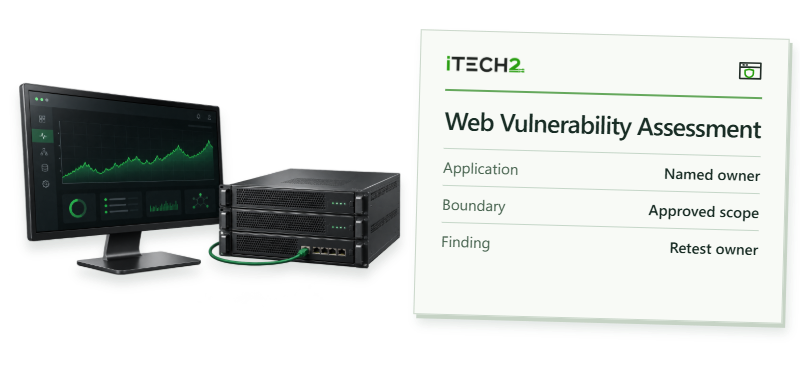
For the Web Vulnerability Assessment, identify the decision owner and give one example from the environment. The illustrated brief starts with application (“Named owner”). A redacted description is enough for the initial request.
The first 30-minute IT consultation is free. Before sharing access for the assessment, agree on the systems included, what the report will cover, the schedule and any fee. Record the person who can accept the findings and agree who will verify any follow-up work.
Check assessment terms · Discuss scope and timingCommon questions
How do we agree on the scope of a review?
Name the decision, systems, owner and evidence needed. Confirm eligibility, access, effort and any cost in writing before arranging collection.
Compare assessment scopesWhat should the web vulnerability assessment handoff include?
Request a prioritized findings register with the affected component, remediation owner and agreed closure evidence.
See the worked example