
Copilot readiness assessment
Choose a team and a task for a pilot. Check which documents participants can already access before introducing AI-assisted search.

Interactive workplace
Choose documents a pilot user can safely retrieve
Commercial businesses
Copilot readiness assessment
Use a fictional project folder with a current brief and a superseded draft. Confirm which accounts may read each file before the pilot. Have the reviewer identify the source of each date and quantity in a draft answer.
Related services and reading
A typical project decision

A project folder may be visible to an entire department even though its owner expects only the project team to have access. Review a representative folder with that owner before inviting pilot users.
What to bring

Bring your pilot audience, content owners and approval requirements.
How to check the result

Agree on a pilot roster, approved content scope and a person who can pause expansion if a reviewer finds inappropriate access.
Choose documents a pilot user can safely retrieve
Use a fictional project folder with a current brief and a superseded draft. Confirm which accounts may read each file before the pilot. Have the reviewer identify the source of each date and quantity in a draft answer.
Record access exceptions, incorrect references and review effort before expanding the pilot group.
Example assessment finding
- Observation
- A pilot answer cites an old project schedule even though the team has approved a newer version.
- Decision
- Have the document owner identify the authoritative schedule and review how both versions are labeled.
- How to verify
- Repeat the planning question with the pilot account and check the cited document and date.

Set up a Copilot pilot
Choose a representative document set, confirm access permissions and have a pilot user evaluate the result.
Which task earns a wider pilot?
Choose one recurring Microsoft 365 task and a document set the pilot group may already read. Have a reviewer compare the draft with the source and measure corrections. Evaluate security-analyst use separately because it involves different data, permissions and licensing.
Prepare a working brief
Choose documents a pilot user can safely retrieve. Use the editable worksheet to name the owner, collect the evidence and record what will count as a completed handoff.
Download the copilot readiness assessment worksheet (TXT) · Compare assessment optionsFrom request to findings
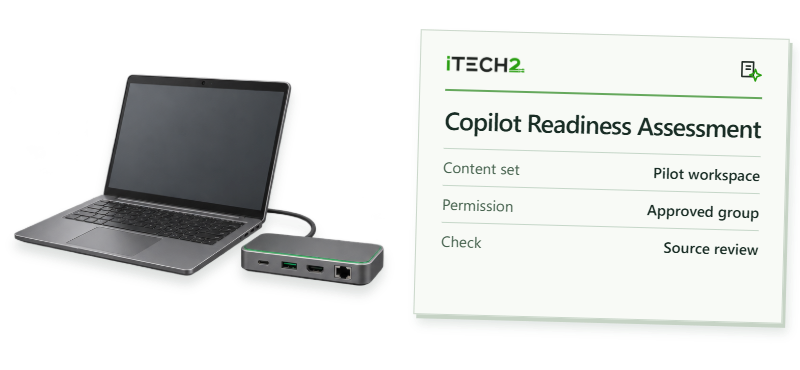
For the Copilot Readiness Assessment, identify the decision owner and give one example from the environment. The illustrated brief starts with content set (“Pilot workspace”). A redacted description is enough for the initial request.
The first 30-minute IT consultation is free. Before sharing access for the assessment, agree on the systems included, what the report will cover, the schedule and any fee. Record the person who can accept the findings and agree who will verify any follow-up work.
Check assessment terms · Discuss scope and timingCommon questions
How should we decide whether to expand a Copilot pilot?
Use a representative task, check the cited source and record the time spent correcting the result. Review unexpected file access before adding another group.
Browse assessment optionsWhat should the copilot readiness assessment handoff include?
Record access exceptions, incorrect references and review effort before expanding the pilot group.
See the worked example