
Start a zero-trust review with one application
Choose an application with a known owner and a manageable group of users. Define the access decision the team wants to improve before changing an organization-wide policy.
Describe the required access

 Start a zero-trust review with one application
List the users, device conditions and service accounts needed for the workflow. Ask the owner how temporary access expires and where administrative actions can be reviewed.
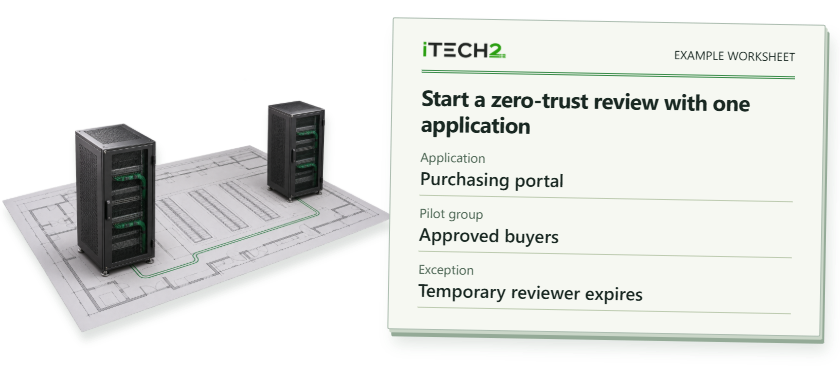
- Application
- Purchasing portal
- Pilot group
- Approved buyers
- Exception
- Temporary reviewer expires
Check the exception path

Pilot the approved policy with representative test accounts. Verify an expected allowance, a denied action and the process for restoring authorized access. Keep a recovery contact available during rollout.

Follow an access decision
Check the person’s role, grant the agreed access and verify the result with the account owner.
Further reading
Browse 10 related articles
- A vendor sends a security advisory. Who checks it?
- A practical acceptance test for a Copilot pilot
- What to check before buying Microsoft 365 E7
- Which dependency could delay your cloud cutover?
- Build a project decision log that survives handover
- Two breach reviews to bring to your next IT meeting
- Should the next server refresh move to Azure?
- From a Copilot readiness report to a pilot list
- What to measure before sizing an Azure migration
- What to ask a supplier about post-quantum migration
Common questions
What evidence supports an access review?
Use an approved role list, the current assignments and the owner’s last decision. Keep the expiry date with temporary exceptions.
Access review checklist